
How to check if a BMW’s mileage is real
The dashboard mileage is the one number a dishonest seller can change. But your BMW also writes its mileage down inside its control units, often dozens of times, and those records show whether the dashboard adds up.
A 2018 European Parliament report estimated that 5–12% of used cars sold within an EU country, and 30–50% of cars sold across borders, have had their mileage tampered with. Source
Why the dashboard alone can’t be trusted
The odometer is just a number stored in the instrument cluster. Tools that rewrite it are easy to buy, and a car with rolled-back mileage looks and drives exactly the same. Service books can be incomplete, and invoices can go missing.
Your BMW keeps its own mileage diary
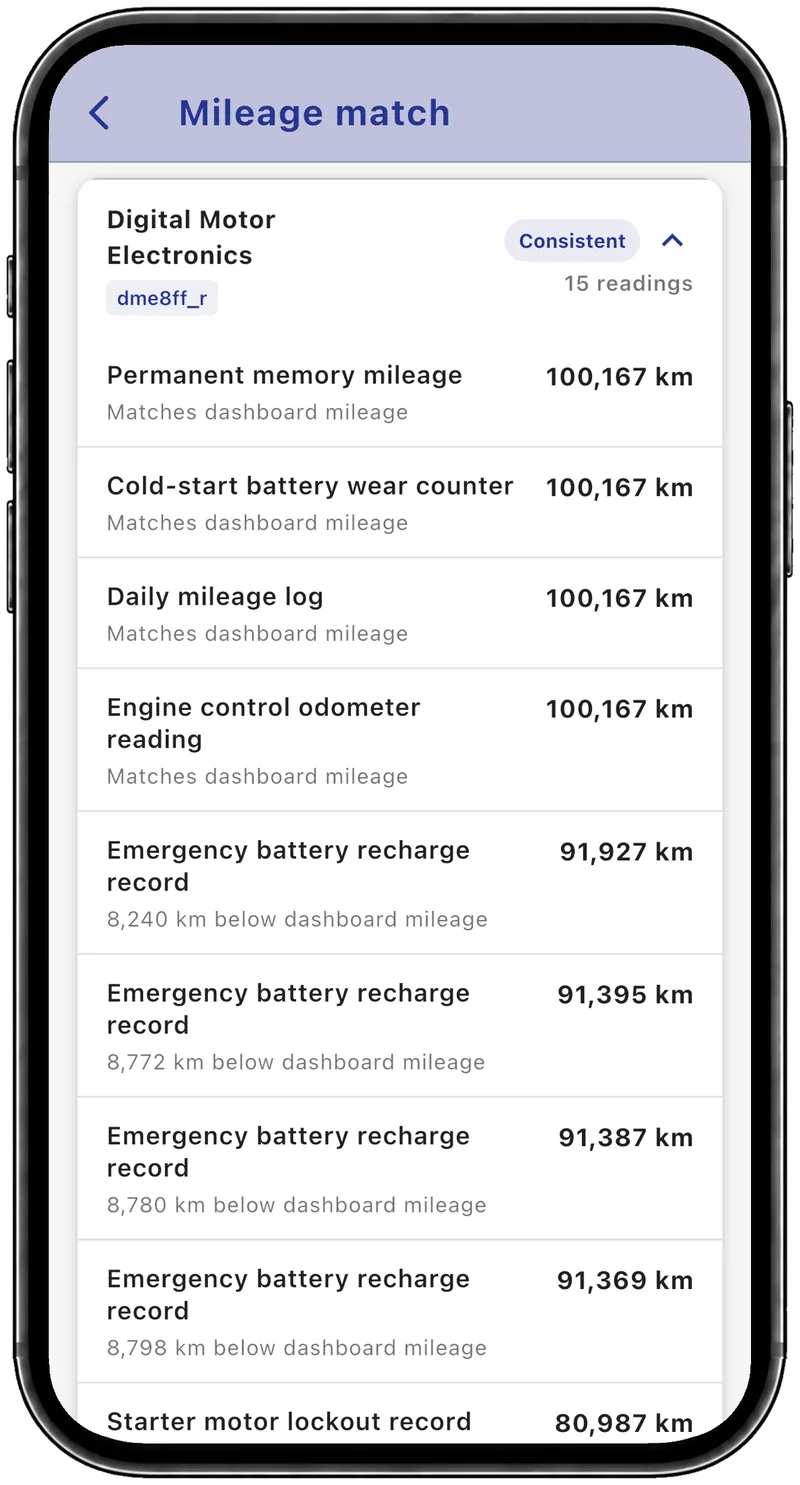
Many control units save the mileage at the moment something happens: a warning appears, the battery is recharged, a fault is stored, the sunroof reverses, a button is pressed. Each record is a small entry in the car’s history, stamped with the mileage at that moment.
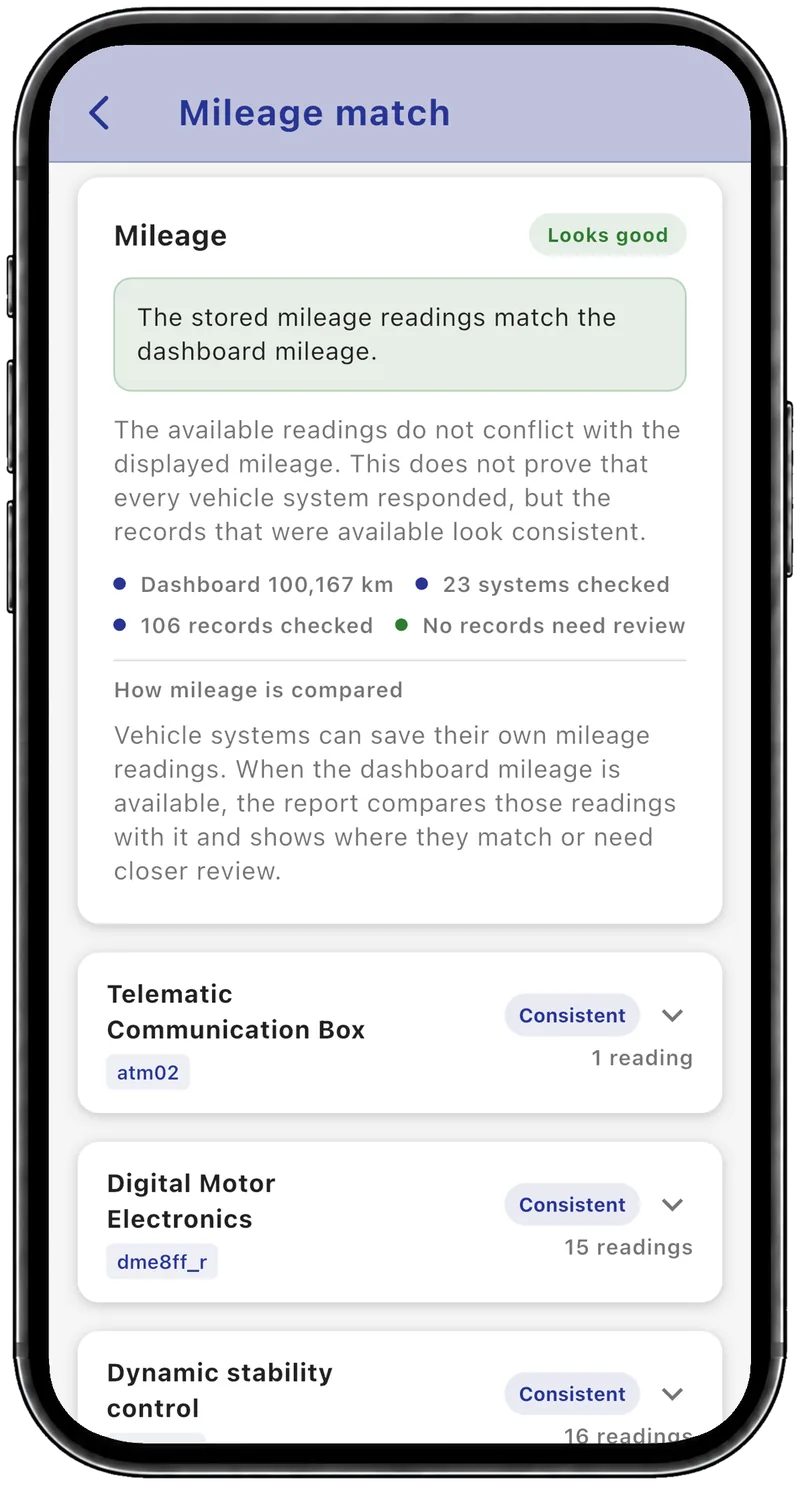
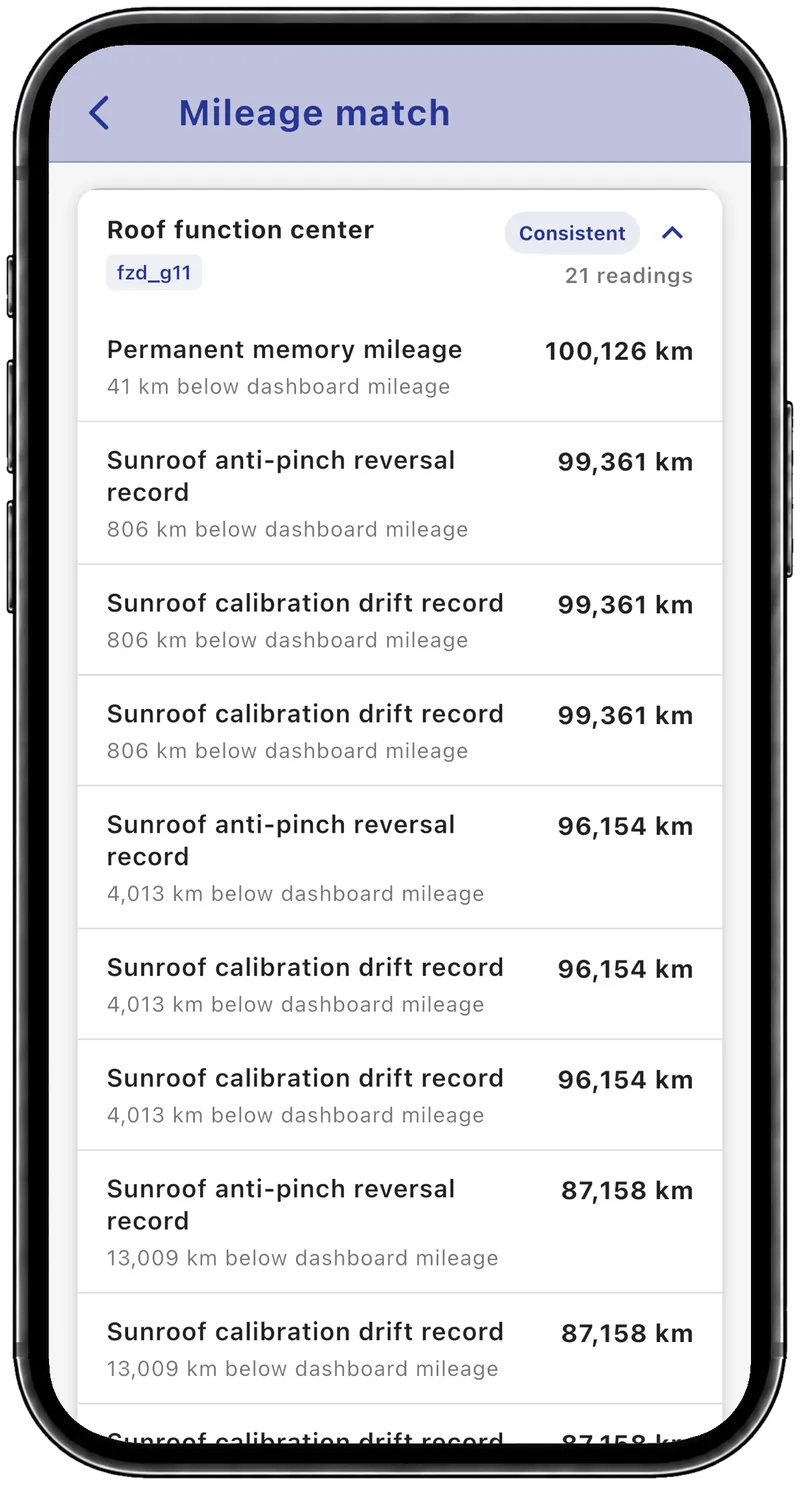
Open a single control unit and the diary becomes visible:
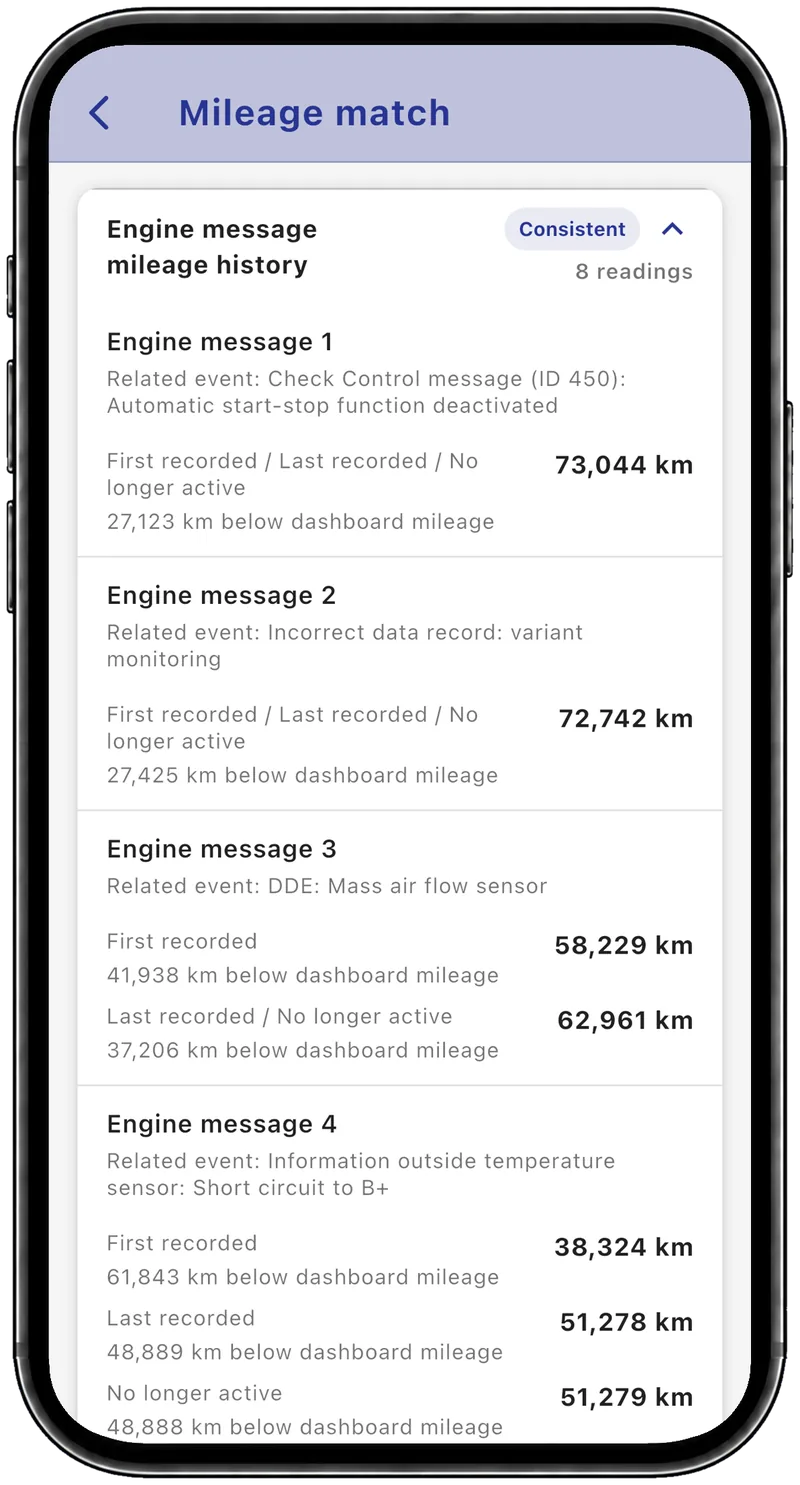
Engine messages go back even further. For each one, the engine control unit keeps the mileage when the message first appeared, when it was last recorded and when it was no longer active:
The one rule that matters
No record can be newer than the car. If any stored reading is higher than the dashboard shows today, the numbers don’t add up.
Every record was written at some point in the past, so it should sit at or below today’s mileage. In the example above, it does: the sunroof records trail the dashboard by 806, 4,013 and 13,009 km, exactly as you’d expect for events that happened earlier.
Now imagine the dashboard showed 70,000 km. The starter lockout saved at 80,987 km would come from the future. That is the kind of contradiction this check is built to find.
What a higher reading can mean
A reading above the dashboard is a reason to ask questions, not proof of fraud. Possible explanations include:
- The instrument cluster was replaced and started from a different number.
- A control unit came from another car, for example after crash repair. How to check if a BMW’s control units were replaced
- A repair or software update changed a stored value.
- The dashboard mileage was rolled back.
In the full report, BimmerInspect shows how far every reading is from the dashboard and marks readings well above it as “Needs review”, so you know exactly what to ask the seller.
Check it yourself in about five minutes
- Plug a compatible OBD adapter into the port under the dashboard.
- Start the car, open BimmerInspect and connect to the adapter.
- Run the free inspection. It reads the car and tells you how many mileage records it found.
- Unlock the full report to see every reading, how far each one is from the dashboard, and whether any is marked “Needs review”.
The free inspection shows whether your car provided mileage records before you pay anything. The full report is a one-time purchase for that car, with no subscription. BimmerInspect works with selected BMW and MINI models on the F and G platforms; what each car stores depends on the model and equipment. Which adapter do I need?
If something doesn’t match
- Ask the seller whether the instrument cluster or any control unit has been replaced, and ask for the invoice.
- Compare the readings with the service history and inspection certificates. In the UK, the free MOT history check lists the mileage recorded at every MOT.
- Ask a BMW dealer or specialist to look up the car’s service records.
- Have the car inspected by a specialist before you decide.
More clues that support the mileage
- Wear on the steering wheel, pedals, gear selector and driver’s seat should match the number.
- Stored fault codes carry the mileage at which they happened, which gives you a second timeline to compare.
- Tyre dates, brake condition and invoice dates should tell the same story.
Frequently asked questions
Is a mismatch proof that the mileage was rolled back?
No. Replaced parts, repairs and software updates can also cause differences. Treat a mismatch as a question to ask, and check it against the car’s paperwork.
Can’t someone change the other records too?
Changing one number is easy. Changing every record in every control unit consistently is much harder, which is why comparing many records helps. It is still not a guarantee, so combine it with the paperwork and a physical inspection.
Which cars does it work on?
Selected BMW and MINI models on the F and G platforms. The number of records depends on the model and equipment, so it varies from car to car.
What do I need?
A phone with BimmerInspect and a compatible OBD adapter. No workshop visit and no account.
What is free, and what do I pay for?
Running the inspection is free and tells you how many mileage records your car provided. The readings, their comparison with the dashboard and any “Needs review” flags are in the full report, which you unlock with a one-time purchase for that car. There is no subscription.
Start with a free inspection
BimmerInspect reads this information from your car with an OBD adapter and your phone. The inspection is free; the results are in the full report, a one-time purchase.
For iPhone and iPad. Android coming later.